 By now you have no doubt heard the hoopla about Facebook’s new "Like" button and how it’s taking over the world, dethroning Google, yada, yada…
There are plenty of elements of the new like phenomena to discuss, review and blog about. The one that concerns me and I’m getting the most questions about from clients is about the privacy issues – no surprise.
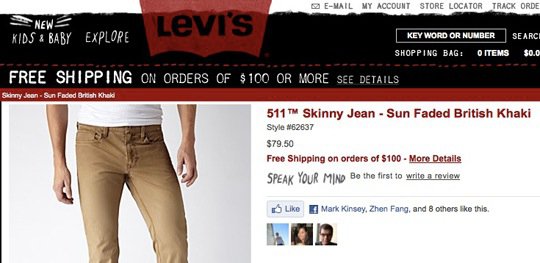
Facebook has a habit of rolling out new features, and oh by-the-way, your default settings for this new feature are set to "everyone". Meaning that if you decide to start "liking" stuff by clicking the Like button across the web, it’s not just your friends that will see this – it will be open to the public.
Not that you have anything to hide but, do you want everyone knowing what sites you like?
Here’s how Facebook describes it on their blog.
Will people beyond my friends see what I like or recommend?
Yes, you should consider the likes and recommendations you choose to make to be public information, much like when you comment or write a review on any website today or connect with a public Facebook Page. Based on feedback we’ve received, though, we are updating the social plugins we announced last week—Like, Activity Feed and Recommendations—to only display your friends’ names and profile pictures and to show the likes and recommendations from people who aren’t your friends in an aggregated format ("10 people like this").
When a like makes a connection in your profile, you can control who can see that in your Facebook profile by editing your "Friends, Tags and Connections" settings on your Privacy Settings page. Remember that even if you limit the visibility of a connection, it remains as public information and may appear in other places on Facebook.com or be accessed by applications and websites.
Depending on the connection you made, you can remove a connection completely either by going to the "Info" tab of your profile and editing your "Likes and Interests," or by returning to the web page where you liked something and unliking it.
Here’s how you can limit your exposure:
- On Facebook, go to your "Account" and select "Privacy Settings"
- Select "Friends, Tags and Connections"
- At the bottom of the page is "Things I Like". The default is set to everyone. Depending on the level of privacy you would like you can select "Only Friends" or "Customize" and then select "Only Me".
Having said that we’re still not 100% sure what Facebook means by this statement.
"Remember that even if you limit the visibility of a connection, it remains as public information and may appear in other places on Facebook.com or be accessed by applications and websites."
We are investigating and will update this blog when we have more information.
If you have any questions or comments let me know via the comments box below.
2 thoughts on “Facebook Like Button”
Derrick, thanks for sharing that link to zesty.ca That is a great resource. I’m happy to confirm that I’m not sharing any of my information with the public or third parties.
I recommend that everyone check to see what if any of your information is being shared by Facebook with third party apps.
It’s amazing the default privacy settings Facebook continues to push on its users. If they’re not good enough for Mark Zuckerberg, they’re not good enough for me.
I’d also recommend your clients take a look at the new “What your friends can share about you” privacy settings. By default, everything about you can be shared with third-parties, with the exception of your religious beliefs. Ridiculous.
Also, there’s a great website, http://zesty.ca/facebook/, that displays everything Facebook is currently publishing about you on the public Internet. Great way to test drive your privacy settings.